7 Ways to Reduce Customer Support Emails Without Hiring More Staff
Practical ways to cut the number of repetitive customer support emails without hiring extra staff or working longer hours.
Table of contents
- The real cost of support emails
- 7 ways to reduce support email volume
- 1. Build a real FAQ page
- 2. Add something that answers instantly, at any hour
- 3. Write better order confirmation emails
- 4. Create a status or tracking page
- 5. Put an FAQ on the checkout or booking page
- 6. Use auto-responders thoughtfully
- 7. Categorise your emails for one month
- How this tends to work in practice
- Start small: pick one
The real cost of support emails
The thing nobody mentions about support email is that it doesn't arrive as one big block. It arrives in a hundred small interruptions, each one taking about three minutes, none of them worth doing properly, all of them impossible to batch.
Do the arithmetic on your own inbox for a week and you'll see it clearly. Say you get twenty emails a day and each takes three minutes of real attention. That's not three minutes of reading, it's three minutes of writing a proper reply:
- 20 emails × 3 minutes = one hour a day
- 5 days a week = 5 hours a week
- 52 weeks = 260 hours a year
Two hundred and sixty hours. Six and a half weeks of full working days, spent retyping information you already have written down somewhere.
The part that stings more than the hours: most of that isn't support. It's re-answering "where is my order" when your shipping page already says three to five working days. It's explaining your return window to someone who scrolled past the link. The customer isn't being difficult. They're asking because the answer didn't reach them at the moment they needed it.
So the goal isn't to reply faster. It's to stop needing to reply at all. Below are seven ways, roughly in order of how much they tend to move the number.
7 ways to reduce support email volume
1. Build a real FAQ page
Not a page with three links on it. A page that answers the questions, in full, on the page itself.
What to include. Start with what your team already answers most. Every business has a short list. For an ecommerce store it's usually shipping, returns and sizing; for a clinic it's appointments, insurance and opening hours. Write those out properly, in sentences, not as links to other links.
How to structure it. One question per heading, phrased the way a customer would phrase it rather than the way you'd phrase it internally. "How long does delivery take?" beats "Shipping & Logistics". If you can, use the exact wording from your own inbox, because that's the phrasing people will search with.
Where to put it. In the footer of every page, in the main navigation, and linked from your order confirmation and any receipt. Most people won't go looking for your help page; they'll only read it if it's offered to them at the moment they need it.
2. Add something that answers instantly, at any hour
This is the one that changes the number most, and the reason is simple: a meaningful share of support email is written by someone who sent it outside business hours and then followed up by email at 9am to say nobody had replied.
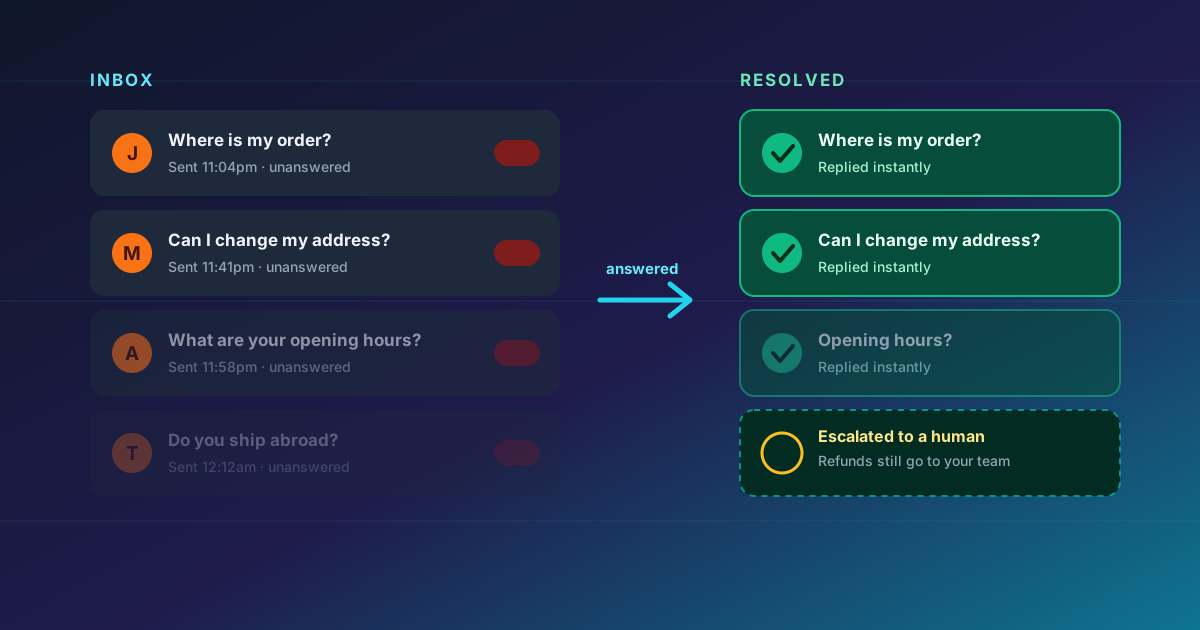
An AI agent trained on your FAQ answers those immediately, at 11pm on a Sunday. It's not cleverer than you. It just doesn't sleep.
What makes this work is that it's trained on content you already wrote. Point it at your FAQ page and your policy pages and it will answer in your voice, using your own terms and prices, because that's the material it was given. The docs cover which sources you can train it on and how to keep them current, and the guide to setting one up covers the mechanics; the small business guide covers whether it's worth doing for you.
The limitation: it can't process a refund or argue about a damaged parcel. That's fine. Those aren't the emails that are eating your week anyway.
3. Write better order confirmation emails
If you sell anything physical, your confirmation email is doing about a third of your support work for you and probably doing it badly.
A good confirmation answers the three questions that generate the next three emails: what's happening, when to expect it, and what to do if it doesn't turn up. Something like this, in about eighty words:
Order confirmed. We're getting it ready now. Delivery: 3–5 working days. You'll get tracking by email. Wrong address? Reply to this email within 2 hours and we'll catch it. Changed your mind? [Returns are open for 30 days](link to policy).
Same information, four fewer emails. Most transactional emails are a confirmation and nothing else, which forces the customer to write back for the details.
4. Create a status or tracking page
"Where is my order" is expensive for a small team, because every single one is a unique lookup. There's no template for it, no macro, no way to answer five of them at once.
If you ship anything, a simple page showing order status or even just "what condition are orders in this week" absorbs a large share of those enquiries. The drop isn't gradual. The first time you add one, the emails for that question fall off a cliff, because there's finally a place to send people.
5. Put an FAQ on the checkout or booking page
The last few minutes before someone pays are when doubt peaks. They'll either leave to check something, or buy and then email you to check the same thing.
Shipping cost, delivery time, return window, whether they can change the address, whether you take a specific card. Five lines above the pay button. It converts better and it heads off the email that would otherwise arrive an hour after the sale.
6. Use auto-responders thoughtfully
An auto-responder that says "we've got your email, we'll reply within 24 hours" saves you nothing. It just tells the customer to wait.
A useful one acknowledges, links to the answer, and gets out of the way:
Thanks, got it, and we'll look at it today. If it's about delivery times, the answer's here: [link]. If it's about returns: [link]. Anything else, just reply to this.
Some people will hit that and solve it themselves. You'll still answer the rest properly, but you'll have taken a few off the pile without spending a minute.
7. Categorise your emails for one month
Do this once and it pays you back for years.
Tag every email you receive for four weeks. Don't be tidy about it. Ten tags is too many, so aim for five or six. What you'll almost certainly find is that three or four tags cover most of what arrives.
When you know that, you stop treating support as a stream of individual questions and start treating it as four problems with volume attached. And four problems can be fixed. They're almost always a missing FAQ entry, an unclear policy, or a page that doesn't say something it should. Each one you fix permanently removes a slice of the pile rather than moving it somewhere else.
How this tends to work in practice
The pattern we see most often is that businesses underestimate the first effect and overestimate the second.
Pointing an AI agent at an existing FAQ doesn't make the FAQ better. It makes the FAQ findable at 11pm by someone who doesn't know you have one. That alone handles a meaningful share of overnight enquiries. Then, once you read the conversation log, you find that people kept asking the same three questions in slightly different words. That tells you exactly which three FAQ entries to write properly. The AI agent shows you the content gaps; fixing them reduces the volume further.
The two effects build on each other, and that's the part people don't expect. The businesses that get the biggest reduction aren't the ones with the cleverest setup. They're the ones that went back and fixed the three questions the bot kept being asked.
Start small: pick one
If you do nothing else this week, do number one. Write out the ten questions you answer most, answer them properly on one page, and link that page from your footer and your confirmation emails.
It's a free afternoon, it needs no software, and it will make every other option on this list easier later. That includes the AI agent, which is far more useful pointed at a decent FAQ than at a thin one.
When you're ready for the automated part, start here. If you're still deciding whether automation fits your business at all, AI agent vs live chat is a straight comparison, and the small business guide covers what these tools can and can't do before you spend anything.
Try ChatterEase free — no credit card required.

Written by ChatterEase Team
The ChatterEase team writes about AI, customer support, and small business growth. We would rather tell you when something is a bad idea for a business your size than sell you a tool that does not fit.