AI agent vs Live Chat: Which is Right for Your Small Business?
AI agents and live chat both handle customer questions, but they work very differently. This is how to choose the right one for your business.
Table of contents
What's the difference?
Worth separating clearly, because "live chat" gets used to mean two different things.
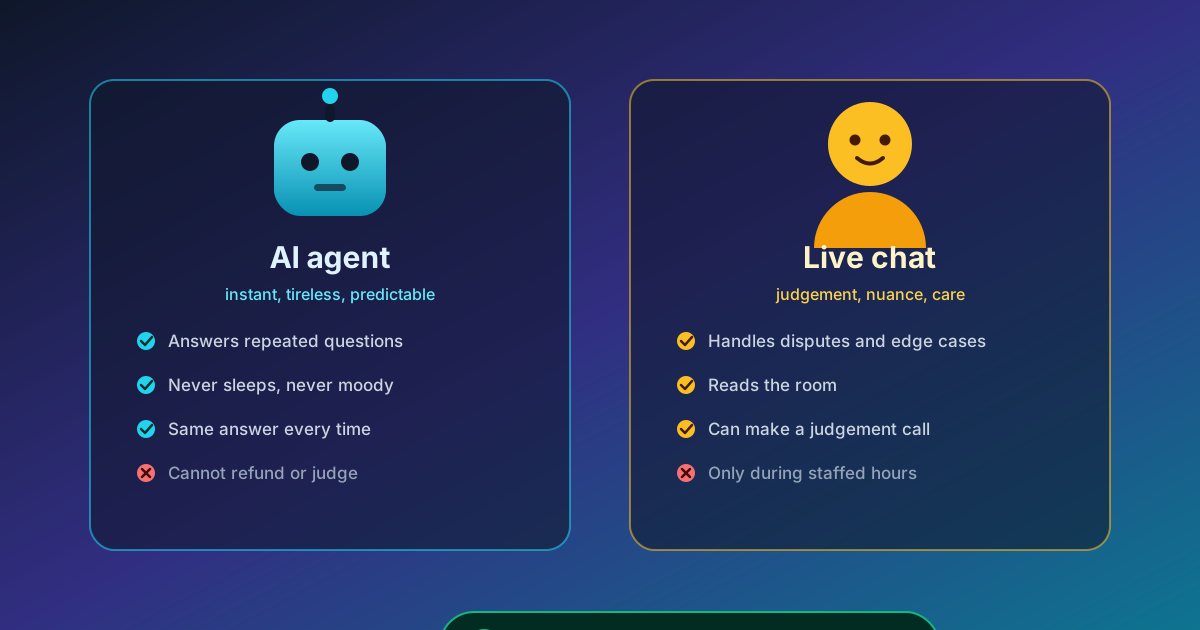
Live chat means a person. A customer types, and a member of your staff picks it up and writes back. The software is just the window it happens in. Some platforms let one person handle several conversations at once; none of them mean the customer isn't waiting on a human.
An AI agent means nobody is typing. The answer is generated from content you supplied, immediately, at any hour. It's reading your FAQ and your policy pages and answering in your voice, which is why the quality of what it says depends entirely on what you gave it.
The practical difference comes down to three things: whether a human is involved, what time it is, and what happens when the question isn't a simple one.
Side-by-side comparison
| Factor | AI agent | Live chat |
|---|---|---|
| Monthly cost | $15–50 | $50–300+, or staff time |
| Availability | 24/7 | Business hours, unless you staff nights |
| Response time | Instant | 2–5 minutes when staffed |
| Setup time | About 10 minutes | Days to weeks |
| Staffing needed | None | At least one person |
| Handles FAQs | Very well | Fine, but slow |
| Handles complex issues | Poorly | Very well |
| Scales with volume | Effectively unlimited | You add people |
| Consistency | Same answer every time | Depends who's typing |
| Cost of a wrong answer | Visible, and embarrassing | Visible, and correctable |
Two rows in that table are worth dwelling on.
"Consistency: same answer every time." This is underrated. A person answering at 6pm on a Friday after a long day will occasionally give a slightly different answer than the same person gave at 10am on Tuesday. Usually it doesn't matter. Occasionally a customer catches it, and now you're arguing about which version was correct.
"Cost of a wrong answer." An AI agent that invents an answer is worse than a human who guesses, because it's confidently wrong and it's the same wrong thing every time. That's the real risk of AI support, and it's a content problem more than a technology problem.
When an AI agent wins
You'll get most from this if most of these are true:
- You're one person, or a very small team. There's nobody to spare for chat cover. If the founder answers support emails, that time comes out of the actual work.
- Your questions are mostly FAQ-shaped. Hours, pricing, how it works, cancellation policy, product availability. If you could write these on an FAQ page, an AI agent can answer them.
- You need coverage outside business hours. A large share of small-business enquiries land outside 9–5, and they don't go away. They arrive as an email you answer at 9am.
- Your budget is under $50 a month. That's a fair ceiling for a tool that does this. Beyond that you're paying for something you probably don't need yet.
- You have no dedicated support staff. Related to the first one, but worth separating because it's about priorities. Nobody's job is support.
When live chat wins
Chat with a human is the better call when:
- You have someone who is free to answer. Not "the team could, in theory", but someone whose actual job includes answering. Otherwise you have an expensive cursor that nobody is sitting behind.
- Questions are complex or unique. Disputes, bespoke configurations, anything requiring judgement or a promise you can only make once you understand the situation.
- Conversations are high-value and sales-shaped. A demo request, a negotiation, a technical evaluation. An AI agent that answers your FAQ well is no help when someone wants to talk to a person about a contract.
- The product needs teaching. Complex software with a learning curve is where "explain what you mean" matters more than "answer instantly".
A blunt test: if a bad answer would cost you the customer, a human should be in the loop.
The hybrid approach
This is what most working setups look like, and it's more common than either column suggests.
The AI agent handles the predictable questions instantly. That's most of them, including nearly all of the ones arriving at midnight. When someone asks something it can't answer well, or asks for a person, or tries to authorise a refund, it escalates rather than guessing.
That last part is the whole trick. An AI agent that escalates on the right questions is better than either option alone, because it does the boring half well and gets out of the way for the half that needs a person. An AI agent that never escalates is worse than useless on anything important.
ChatterEase is built this way: you can author Q&A overrides that always win whatever the model would have said, set a fallback message that offers a human, and have unanswered questions surface in your dashboard so you know what to fix. The documentation sets out how each of those is configured.
Worth being clear about the limitation, because vendors tend to be vague here: the AI agent can offer a way to reach you and can record what was asked, but it is not a queue that magically puts a warm customer in front of a salesperson. Check how the handoff works in the product you're evaluating, because that's where the marketing language thins out. Our side-by-side comparison covers how the main alternatives handle the same three things: price, setup effort, and what happens when the bot does not know.
How to tell whether one is any good
Whichever direction you lean, the demos will look similar. So test the same way every time, before you commit.
Ask it something you already know the answer to. Pick three questions whose answers you can check from memory: your opening hours, your cheapest plan, your return window. If it gets those wrong, the content is bad or the tool is bad, and neither is fixable by wishing.
Ask it something it shouldn't know. This is the one people skip and it tells you the most. Ask about a policy you never wrote down. A good tool says it doesn't know. If it answers confidently, it's inventing, and you now know everything you need to know.
Ask it the awkward version of an easy question. "Can I bring it back if it's not right" instead of "what's your return policy". Real customers are vague and polite. This is where rule-based systems fall over, and it's the best sign of whether a tool will cope with your real traffic.
Watch what happens when it fails. Every AI agent fails eventually. What matters is whether it fails honestly or badly. A system that says "I don't know, here's how to reach the team" is doing its job. One that guesses is costing you trust, and that problem only shows up in week three, not in the demo.
Check the escalation path exists. Don't stop at whether it's advertised. Before you pay, find out exactly where an escalated conversation goes and who sees it. This detail separates products built with small businesses in mind from products built for enterprises.
Ten minutes of testing will tell you more than an hour of reading feature pages.
Which should you start with?
A simple way to decide, based on daily volume and whether anyone is free:
- Under 20 questions a day → start with an AI agent. There isn't enough volume to justify staffing chat, and the repetitive share is what hurts.
- Over 20 a day, and someone is free → live chat, and keep an FAQ page alongside it. You'll handle more per person once the easy half stops arriving.
- Over 20 a day, and nobody is free → an AI agent with escalation, plus a real FAQ page. Automate the volume, and make sure there's a route to a human that your team reads.
That last one is the most common real situation and the one most often set up wrong, because people buy the tool and never build the escalation path. Decide in advance where an escalated conversation goes and who reads it, or the escalation is a dead end and the customer is worse off than before.
Whichever you pick, keep the FAQ page honest and current. An AI agent trained on a stale policy will confidently repeat it, and now your content problem is also your accuracy problem.
If you want the mechanics, how to add an AI agent to your website walks through setup. If the idea is still new, the small business guide starts from scratch, including what these tools can't do.
Try ChatterEase free — no credit card required.

Written by ChatterEase Team
The ChatterEase team writes about AI, customer support, and small business growth. We would rather tell you when something is a bad idea for a business your size than sell you a tool that does not fit.